AI solutions · IT and Development
336 AI solutions for IT and Development.
Custom AI implementations for it and development, worked out from workflow to budget. We build them for you, to run inside your business or to offer to your own clients.
Legacy code explanation service
Developers cannot confidently navigate undocumented code.
Software documentation maintenance
Documentation drifts after frequent releases.
Test scenario generation service
Requirements do not translate into adequate failure coverage.
Bug reproduction assistant
Bug reports omit context developers need to reproduce failures.
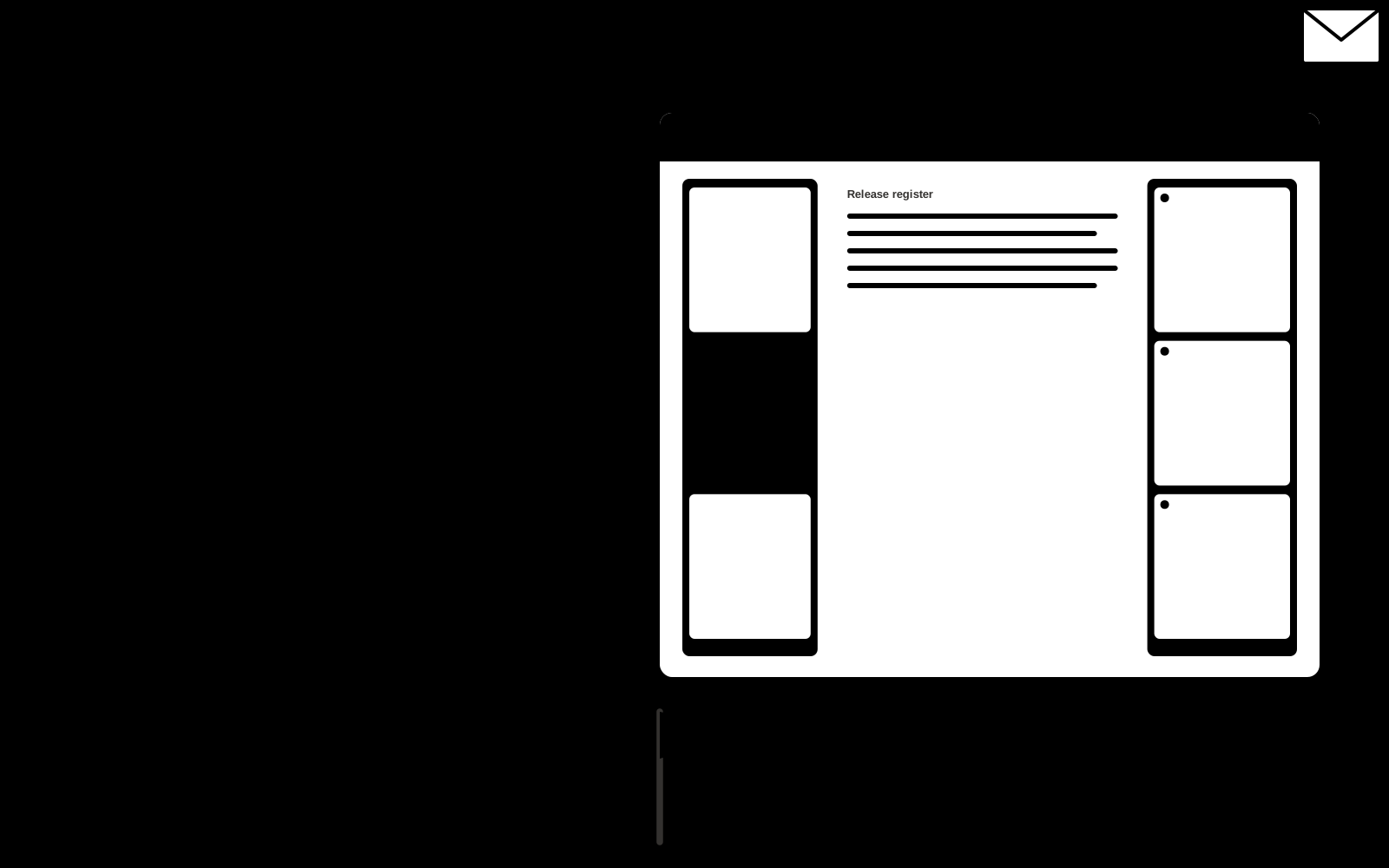
Release communication platform
One technical change log cannot serve every audience.
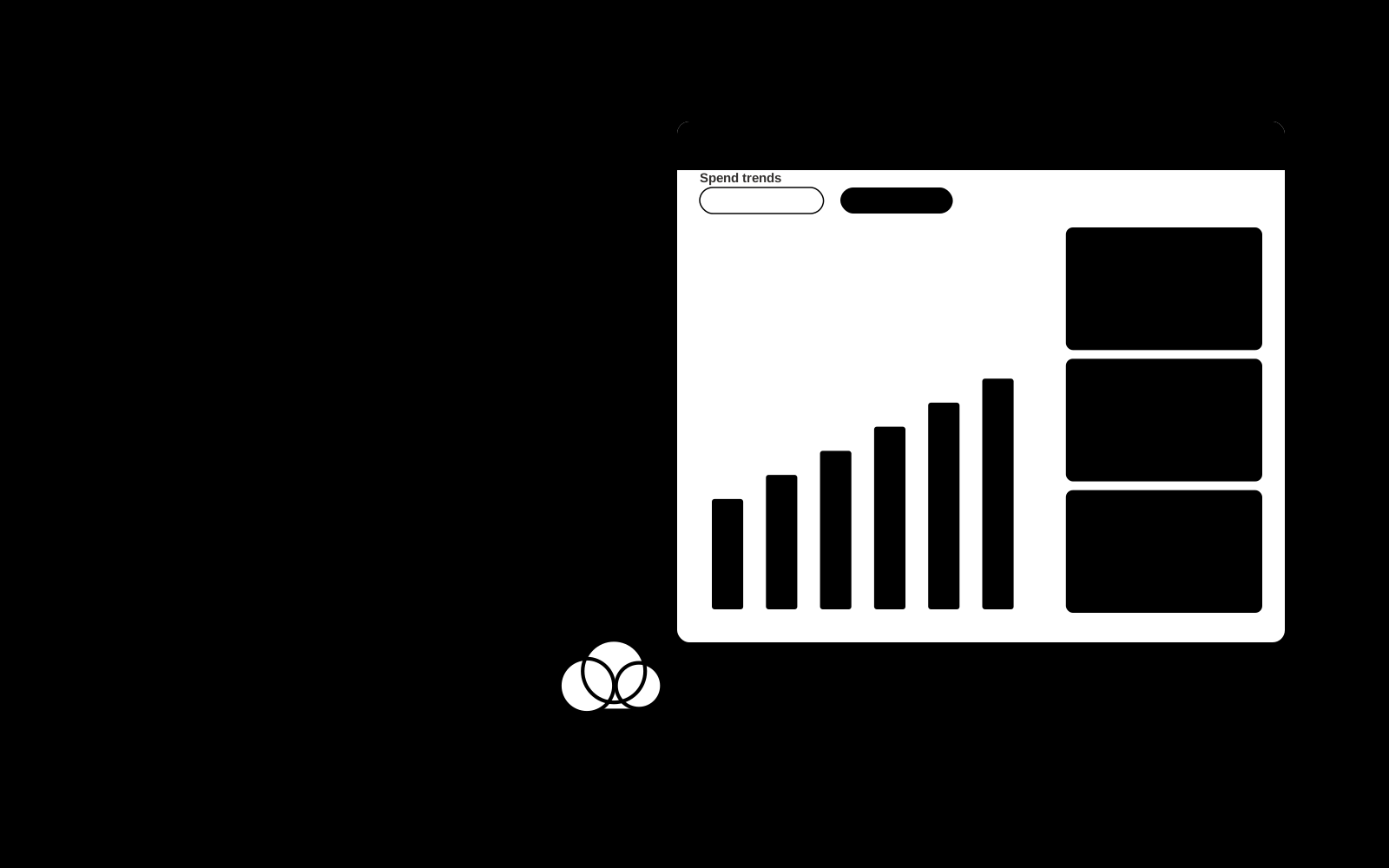
Cloud spending analyst
Unexpected infrastructure costs lack clear explanations.
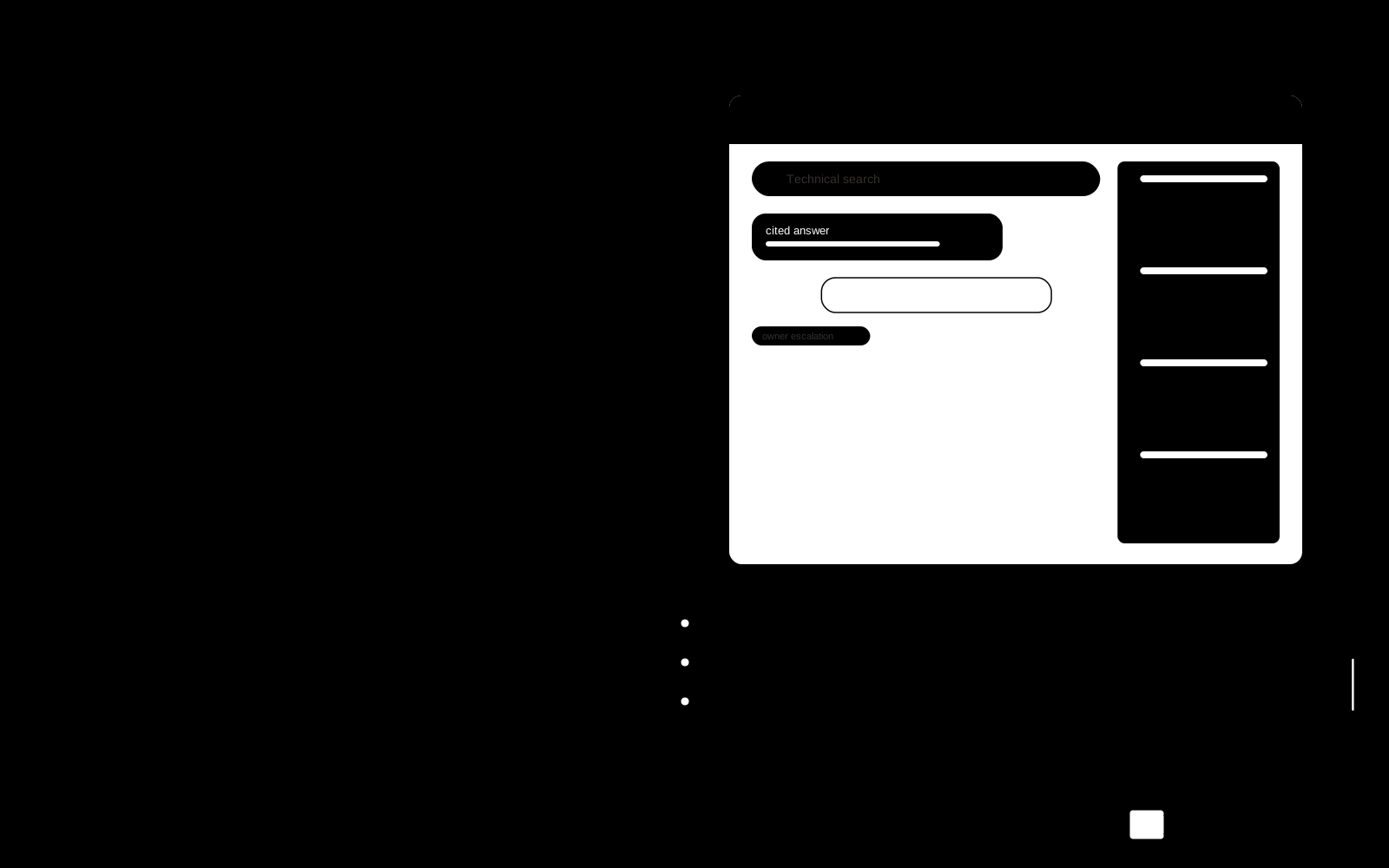
Internal developer knowledge assistant
Runbooks and architecture decisions are difficult to retrieve.
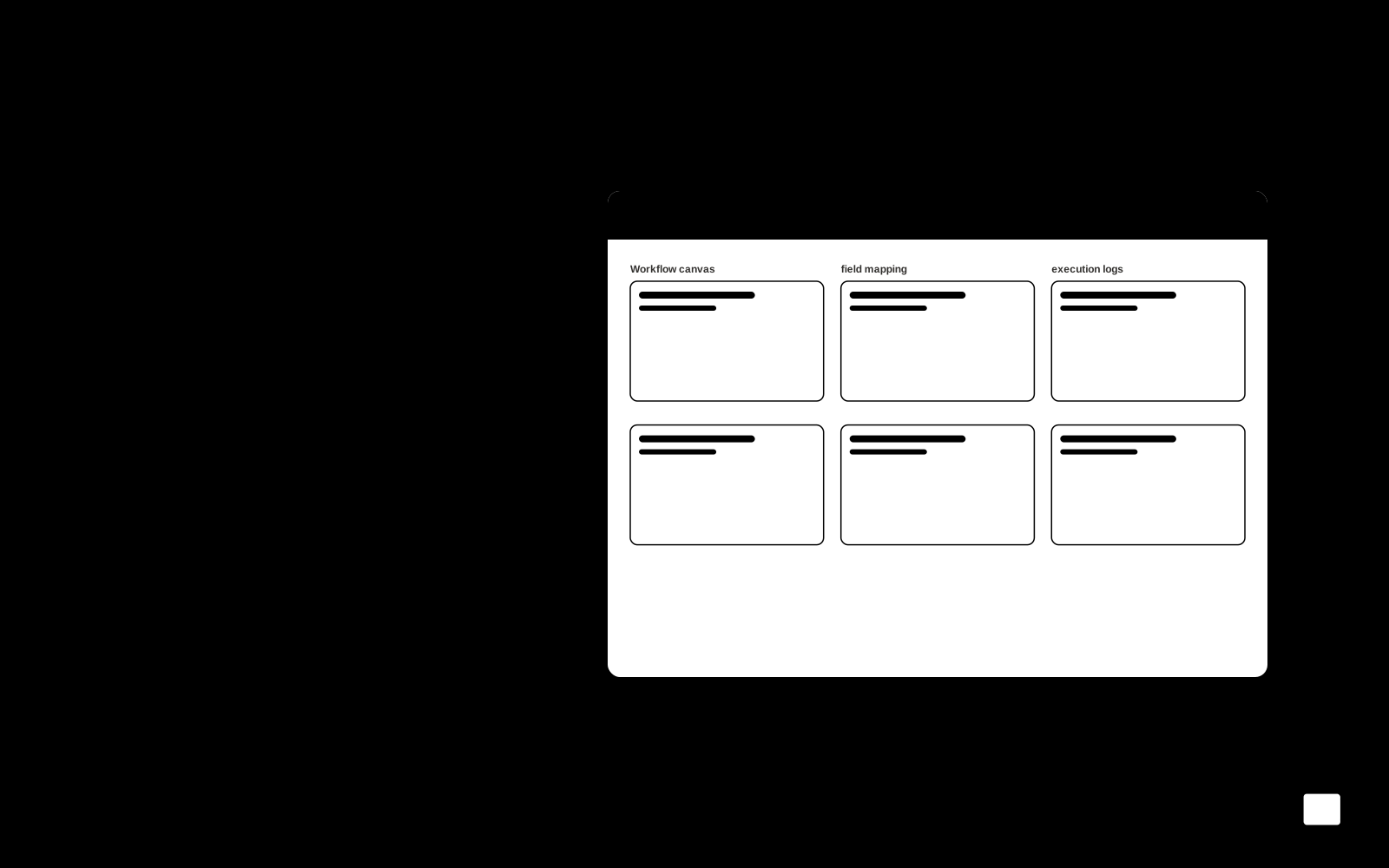
API integration studio
Critical tools require repeated manual data transfers.
Dependency maintenance service
Update backlogs become difficult to prioritize and test.
Accessibility testing service
Automated scans miss contextual accessibility problems.
Incident reporting assistant
Incident reviews require time-consuming timeline reconstruction.
Data migration preparation
Bad field mappings cause silent data loss.
Technical support diagnostic tool
Large log files obscure the events relevant to a customer issue.
AI workflow evaluation service
Teams lack task-specific evidence of assistant reliability.
Small-business automation maintenance
Automations break silently after upstream changes.
Feature flag retirement engineer
Expired feature flags leave confusing branches in production code.
Data contract drift watch
Upstream schema changes silently break downstream assumptions.
Secrets-free debugging bundle builder
Useful diagnostic bundles accidentally include credentials and customer data.
Software deprecation migration clinic
Customers cannot map deprecation notices to their actual usage.
Infrastructure ownership recovery desk
Resources remain active after their original owners leave.
Localization build regression reviewer
Translations break interfaces after apparently harmless releases.
Flaky-test isolation laboratory
Unreliable tests waste engineering time and hide genuine regressions.
AI inference economics workbench
Model choices are made without task-level cost and quality comparisons.
Observability retention optimizer
Log retention costs grow without evidence of diagnostic value.
Database index value experiment lab
Index changes are guessed without representative workload evidence.
Software build graph acceleration studio
Unnecessary rebuilds slow developer feedback.
Application memory regression profiler
Memory growth is discovered after costly production incidents.
API payload minimization service
Oversized payloads increase latency and delivery cost.
Cloud reservation commitment planner
Long-term cloud commitments are chosen without downside scenarios.
Security patch rehearsal digital twin
Necessary patches are delayed because failure behavior is unknown.
SaaS integration contract mutation tester
Tests miss small external schema changes that break consumers.
Database archive query bridge
Archived data becomes practically unusable without costly restoration.
Technical incident replay academy
Engineers rarely practice realistic system failures safely.
Browser extension permission regression lab
Extension updates silently broaden requested permissions or change behavior after internal approval.
Clock boundary behavior test studio
Date bugs emerge around daylight-saving changes and ambiguous local times that ordinary test fixtures omit.
Permission test scenario studio
Role changes are shipped without realistic access-boundary tests.
Developer environment setup doctor
New contributors lose hours resolving undocumented setup assumptions.
Architecture decision retrieval map
Teams repeat rejected designs because decisions are buried.
Test fixture privacy workbench
Realistic fixtures are difficult to create without copying private records.
Database query explanation academy
Analysts copy queries without understanding assumptions.
Build artifact provenance explorer
Deployed artifacts lack clear source lineage.
API pagination compatibility tester
Pagination assumptions fail across APIs.
Configuration documentation drift desk
Configuration docs disagree with approved settings.
Code comment contradiction reviewer
Comments misdescribe current implementation.
Webhook failure rehearsal kit
Webhook consumers lack tested retry behavior.
Database migration rollback planner
Migration plans omit realistic recovery dependencies.
Developer documentation example runner
Published code examples become stale.
Application error-message evidence desk
Error messages omit useful recovery steps.
Dependency license evidence organizer
License records are incomplete across packages.
API changelog impact classifier
Release notes fail to identify affected integration patterns.
Data pipeline lineage interview desk
Undocumented lineage requires repeated stakeholder interviews.
Technical debt decision evidence room
Debt prioritization lacks concrete consequences.
Software import error repair coach
Customers cannot correct rejected import files.
Infrastructure naming convention reviewer
Resource names conceal ownership and purpose.
Release note evidence validator
Notes describe changes absent from the release.
Accessibility issue reproduction notebook
Reported barriers lack reproducible steps.
Service-account purpose registry
Service accounts remain without documented business purpose.
Software localization string context desk
Translators receive strings without interface context.
Data export privacy scenario tester
Export features are tested without access-boundary cases.
Technical runbook prerequisite checker
Runbooks assume missing access or tooling.
Repository ownership routing assistant
Incoming changes lack a clear reviewing team.
Sandbox account reset planner
Shared demos accumulate inconsistent state.
Technology onboarding vocabulary coach
Staff misunderstand recurring technical terms.
System retirement dependency scout
Old applications have undocumented downstream users.
Prompt-to-app build and deployment workspace
Plain-language app descriptions are scattered across several rented tools for generation, hosting, editing, debugging and deployment, so code, data and deployment control stay outside the buyer's business.
Source-linked development assistant and admin console
Development work is spread across separate AI coding tools, so context, review and task tracking fragment and teams lose control of their own code and workflow.
Source-linked autonomous coding agent console
Development tasks, bug fixes and pull requests are split across several rented coding assistants, so context, review evidence and repository knowledge stay fragmented.
Source-linked coding assistant and admin console
Developers rent several coding assistants that each cover part of the job, and none of them give the team one source-linked record of suggestions, reviews and approvals.
Source-linked browser assistant and admin console
Assistants that read the active page, documents and videos are scattered across separate subscriptions, and their outputs are hard to trace, approve or keep private.
Prompt-to-app delivery workspace with managed implementation
Turning prompts or visual ideas into working software requires stitching together separate generation, environment, database, authentication, deployment and testing tools.
Unified model routing and spend control workspace
Teams integrate each model provider separately, cannot see or cap combined spend, and have no tested fallback when a provider degrades.
Prompt-to-front-end code delivery workspace
Front-end UI code is generated in several disconnected tools, then manually reconciled, reviewed and exported before it can ship.
Source-linked multi-model text and code workbench
Teams rent several model subscriptions, paste sensitive material into tools they do not own, and cannot trace which model produced which output.
Managed web task automation workspace
Recurring web browsing, extraction and reporting work is manual, inconsistent and hard to audit.
AI model and agent performance operations workbench
Model and agent behaviour is monitored in disconnected tools, so teams cannot trace a failure, score it, improve it and prove the fix in one place.
Prompt lifecycle testing and deployment workbench
Prompts are edited in scattered tools with no shared version history, no repeatable evaluation and no controlled path to production.
Plain-language full-stack app delivery workspace
Turning a plain-language description into a launched, owned full-stack app requires stitching together separate generation, database, auth, payment, deployment and support tools.
Source-linked terminal coding assistant console
Developers rent several terminal AI coding tools, and each one covers only part of the job, so changes, tests, commits and reviews stay split across subscriptions and lose their source links.
No-code AI app and agent delivery workspace
Work is spread across several rented no-code agent tools, so workflows, data and approvals do not connect and the business does not own the result.
Prompt-to-app delivery workspace
App ideas and Figma designs stall between prototype and a deployable product because generation, editing, backend wiring, review and release sit in separate tools.
Source-linked software development assistant console
Development teams rent several coding assistants, lose context between them, and cannot trace AI suggestions back to the code, ticket or policy they came from.
Live web data access layer for AI agents
Agents and pipelines need live web data, but teams rent several search, scraping, crawling and proxy subscriptions and still glue them together themselves.
Multimodal model routing and review console
Teams rent several model subscriptions and stitch together text, image, audio, video and code calls without one place to route, review or account for them.
Private on-device AI assistant console
Cloud AI assistants send conversations and documents to external servers, require accounts and internet access, and cannot be inspected or self-hosted.
Source-linked pull request review console
Pull request review is slow and inconsistent, and review comments lack the repository, ticket and chat context needed to judge a change.
Design-to-code delivery workspace
Design handoff produces inconsistent frontend code, repeated manual rebuilds and drift between design files and the shipped codebase.
Private knowledge assistant and agent console
Answers are scattered across rented assistants that cannot see all internal sources or stay under the organization's control.
Source-linked text and code reasoning workbench
Teams rent several AI subscriptions, spread prompts and context across tools, and cannot trace which source or model produced an output.
No-code AI agent delivery workspace
Automation needs sit in a queue while teams rent several agent tools that each cover only part of the build, test, deploy and monitor cycle.
Conversational agent build and operations workspace
Agent work is split across builder packages, orchestration libraries, evaluation scripts and separate hosting, so teams rent several tools and still cannot see, test or approve what agents do in production.
Autonomous user-behavior test generation and replay workspace
Manual test scripting is slow, brittle tests break on every UI change, and real user flows go untested before release.
Agent memory library and stewardship console
Agents restart from zero each session and cannot share context across tools, so teams rebuild the same state and lose decisions.
Production agent trace and evaluation console
Agent behavior in production is hard to trace, score and debug across models, tools and sub-agents, so quality drift and failures surface late.
Multi-model API routing and billing workspace
Separate provider integrations, keys, dashboards and billing make model routing, spend and end-user billing hard to control.
Managed browser workflow automation workspace
Recurring browser workflows are split across rented automation tools, scripts and manual steps, so teams cannot see, control or hand over the full sequence.
Source-linked code review and debugging console
Reviews, bug fixes and CI failures are handled in separate tools, so context is lost and fixes are not verified against the pipeline.
Source-linked code review and security console
Code changes and AI-generated suggestions reach review with bugs, vulnerabilities and quality issues that manual review and scattered scanners miss or bury in noise.
No-code AI workflow and app delivery workspace
Workflow and app needs are spread across several rented no-code and AI tools, so data, logic and deployment stay fragmented and the team depends on subscriptions it does not control.
AI project coordination and team workspace
Project work is split across separate task, chat, document and reporting tools, so status is assembled by hand and risks surface late.
Source-linked operations assistant and admin console
Routine data and content work is spread across many subscriptions, so teams re-enter the same data, lose the source trail and cannot see which agent or workflow produced a result.
Source-linked retrieval answer console
Answers are scattered across documents, databases and applications, so teams cannot trace where a response came from or keep it current.
Source-linked team AI assistant and admin console
Teams rent several AI chat, agent, analytics and document tools that keep context and data in separate subscriptions.
AI tool comparison and stewardship console
Tool choices are scattered across many directories, reviews and vendor pages, so comparisons are hard to reproduce and data rights are unclear.
Custom AI assistant directory and build console
Assistant builders and users scatter their work across several directory, builder and analytics subscriptions, so discovery, creation and performance data never sit in one owned place.
Cross-tool AI conversation memory library
Context and preferences from past AI chats stay trapped in each tool, so users repeat themselves and lose useful decisions.
Source-linked embedded assistant console
Assistant features are rented across several tools, so prompts, memory, guardrails and analytics sit in separate places the team does not own.
Integrated AI development and delivery workspace
Development work is split across several AI coding subscriptions, so context, reviews and deployment steps are fragmented and hard to govern.
Prompt-to-production full-stack app workbench
Turning a plain-language app description into a deployed, inspectable full-stack application requires stitching together separate generation, backend, deployment, review and analytics tools.
Controlled agent build and run workspace
Agent work is split across several rented tools, so building, deploying, monitoring and controlling agents means duplicated setup, scattered logs and unclear ownership of data and behavior.
Source-linked mobile AI assistant and admin console
Teams rent several mobile AI apps for chat, voice, search, generation and automation, so prompts, data and answers sit in separate tools without source links or an admin view.
Source-linked coding agent operations console
Coding work is split across several rented model subscriptions, so agent runs, long-context analysis, security checks and search sit in separate tools with no shared review trail.
Multi-agent coding workspace with persistent project memory
Agents lose project context between sessions and teams juggle separate tools for terminals, memory, review and traceability.
No-code AI app delivery workspace
AI app features are spread across many rented tools, so teams rebuild the same workflow, cannot own their data, and depend on several subscriptions.
Custom business app build and automation workspace
Teams rent several no-code, automation and AI builder tools that do not share data, roles or logs, so apps and workflows stay fragmented and hard to own.
Multi-model comparison and clarification workspace
Model access, comparison, cost tracking and team context are split across separate subscriptions and tools.
Source-linked desktop assistant and admin console
Assistants that automate tasks and generate or edit content are rented as separate tools, so work, context and permissions stay scattered across subscriptions the buyer does not own.
Managed persistent agent deployment workspace
Agents built in temporary sandboxes lose state, cannot be retried or resumed, and lack the deployment, routing, observability and billing controls needed to run as persistent services.
Natural-language database query and reporting workspace
Non-specialist staff depend on engineers for routine database questions, slowing decisions and creating a queue of ad-hoc query requests.
Vector search library and data stewardship console
Vector search is spread across several rented services, so embeddings, indexes, filters, ranking and access rules live in different places and cannot be searched or governed as one library.
Multi-channel agent messaging console
Agents are locked to one framework and one channel, lose context between rooms, and act without review.
Source-linked multi-model assistant console
Staff rent several chat subscriptions, spread prompts and answers across tools, and cannot trace which model produced which answer.
Design-to-code delivery workspace with managed implementation
UI code is generated in one tool, edited in another, and reviewed in a third, so teams rent several subscriptions and still hand-carry code between them.
Structured data extraction and stewardship console
Websites and documents must be turned into clean structured data for apps and AI agents, but manual scraping code, layout changes and unstructured files break pipelines.
Source-linked multimodal document and screen assistant
Visual and textual material sits in separate tools, so teams cannot answer questions or generate content from combined evidence.
Managed MCP connector control workspace
Agent integrations are spread across separate MCP servers, credential stores, deployment scripts and dashboards, so access, permissions and usage are hard to govern.
Agentic coding task delivery workspace
Coding agents run in scattered tools, so plans, edits, tests, pull requests and cost records are hard to review, steer and audit.
Agent action control and audit portal
Agents act across connected systems without a single place to authorize each action, review what happened or stop a bad run.
Prompt lifecycle workbench for AI teams
Prompts are edited in scattered tools, tested by hand and tracked in documents, so teams cannot compare versions, measure quality or reuse what works.
Source-linked in-browser AI assistant console
Browser help is scattered across extensions and subscriptions, and automated actions run without source links, approval gates or a clear record of what happened.
Shared human-agent work coordination portal
Teams rent several separate AI chat, agent and meeting tools, so context, approvals and records are scattered across subscriptions they do not own.
Plain-language test generation and execution workspace
Test suites are written and maintained by hand, so coverage lags behind releases and UI changes break scripts.
Document data extraction and workflow preparation workspace
Document data is trapped in mixed formats, and teams rent several parsing, cleaning and workflow tools that do not share structure, provenance or review.
Source-linked terminal command assistant and admin console
Plain-language requests must be turned into safe, reviewable terminal or app commands without losing context, permissions or an audit trail.
Production incident root-cause coordination portal
Production incidents span logs, metrics, traces and code, so teams lose time correlating signals, triaging duplicates and writing post-mortems by hand.
Local agent operations control portal
Agent work is scattered across several rented tools, so execution, memory, approvals and app control do not sit in one owned place.
In-page AI assistant and admin console
AI help requires switching tabs, copying content and losing context, which slows work and fragments data.
AI voice and chat agent evaluation workspace
Agent failures surface in live conversations, and teams lack one place to simulate, monitor and review voice and chat behaviour before and after deployment.
Source-linked engineering agent console
Coding, review, CI fixes, triage and project tracking are split across several rented AI tools that do not share repository context or approval records.
AI usage and cost evidence workbench
AI usage and cost are spread across providers and tools, so teams cannot attribute spend, spot anomalies or reconcile invoices.
Parallel coding agent session control desk
Parallel agent sessions are hard to see, keep dying on restarts or SSH drops, and can overwrite each other's files.
Source-linked code generation and review console
Developers rent several code assistants that suggest code without traceable sources, cannot be trained on private repositories, and leave review, testing and documentation work split across tools.
Managed agent hosting and operations console
Running AI agents means setting up servers, wiring integrations, storing keys and repairing broken instances by hand.
Managed GPU model deployment control plane
Model deployment is split across several rented platforms, so teams juggle separate dashboards, APIs, GPU quotas and compliance evidence.
Real-time speech generation and voice control workspace
Teams rent several speech tools for latency, cloning, languages and deployment, and cannot combine them into one owned workflow.
Visual backend API and AI workflow delivery workspace
Backend APIs and AI workflows are assembled across several rented tools, so logic, credentials and logs are split and hard to own.
Source-linked language model workbench
Teams rent several model subscriptions and stitch them together, so prompts, context, data sources and review records live in separate tools they do not own.
Full-stack app generation and deployment workspace
App generation, deployment, monitoring, security review and code ownership are spread across several rented tools, so teams lose time moving code and context between them.
Agent workflow operations control portal
Agent work is spread across separate builder, trigger, orchestration, approval and cost tools, so teams cannot see or control what runs, what it touches and what it costs.
Video evidence analysis and reporting workspace
Video evidence is scattered across tools, so teams scrub footage manually and cannot trace findings back to exact moments.
Agentic software delivery control workspace
Delivery work is split across separate AI coding, ticketing, review and monitoring tools, so context, approvals and audit evidence are scattered.
Human-reviewed training data labeling workspace
Labeling work is split across several rented tools, so labels, review states and exports drift apart and quality is hard to prove.
Plain-language native app build workspace
Turning a plain-language app description into a published native app requires stitching together generation, backend, simulators, signing, store submission and maintenance tools.
Repository-synced technical documentation workbench
Documentation drifts out of date as code changes, and teams manually rewrite pages, diagrams and conventions across disconnected tools.
Shared agent knowledge library and stewardship console
Each assistant and agent keeps its own context, so knowledge is duplicated, stale or lost between tools and sessions.
AI agent runtime control and audit console
Model and agent behavior in production is monitored, filtered and secured through several separate tools, so policies, logs and data flows are split across vendors.
Source-linked development agent console
Development tasks, bug fixes and project tracking are split across several rented AI tools, so code, transcripts and decisions sit outside the team's own systems.
Source-linked visual interface editing console
Visual edits and code edits live in separate tools, so interface changes drift from the real source and reviews stall.
Team project and task coordination workspace
Projects, tasks, docs and agent work sit in separate tools, so status, decisions and accountability are hard to see in one place.
Source-linked coding agent operations console
Coding agents are scattered across several rented tools, so runs, fixes and approvals are hard to trace, reproduce or keep inside the team's own environment.
Prompt lifecycle and LLM evaluation workbench
Prompt changes, evaluation runs, trace debugging and production monitoring live in separate rented tools, so teams lose version history, review evidence and cost visibility across the lifecycle.
Local meeting capture and notes console
Cloud meeting bots join calls, upload recordings and leave teams without control of transcripts or notes.
AI assistant action connection workspace
AI assistants cannot reach external apps, so teams rent several connector tools and still cannot trace, confirm or audit the actions taken.
Meeting and work coordination portal
Meeting notes, decisions and task follow-ups live in separate tools, so teams re-explain context and reported progress drifts from actual tool activity.
Source-linked model workspace and admin console
Teams rent several model APIs and data tools, cannot see how outputs are produced, and cannot tune the workflow to their own review and data rules.
Private multi-source memory library and search console
Saved notes, files, messages and web pages are scattered across tools and cannot be searched by what they mean, so useful information is lost or re-found by hand.
MCP server delivery and operations workbench
MCP servers are assembled from separate deployment, auth, observability and SDK tools, so teams maintain several subscriptions and cannot see or control the whole path.
Unified team workspace and tab control portal
Work, chat, meetings, documents and open browser tabs sit in separate subscriptions, so context is lost and teams pay for overlapping tools.
Source-linked AI use governance console
Staff paste confidential data into AI tools, outputs go unchecked, and no one can show what was sent, what came back or who approved it.
Cross-device AI coding agent control plane
Agent sessions, contexts and approvals are scattered across tools and devices, so teams cannot see or control what agents do.
Screen-aware assistant and admin console
Support and development work is split across tools that each see only part of the screen, so context is lost and follow-ups are missed.
Managed custom model fine-tuning and deployment workspace
Teams cannot fine-tune, evaluate and deploy a model on their own data without renting several tools and hiring scarce ML engineers.
Real-time voice agent operations console
Voice agent features are split across several rented tools, so teams cannot see, test or control one live conversation end to end.
Prompt-to-app delivery workspace with managed implementation
Assembling a working web application from prompts, components, data sources and deployment steps requires stitching together several rented tools and manual handoffs.
On-device private model workspace
Cloud AI tools send prompts, documents and outputs to external servers, and separate local-model, transcription, document and security tools fragment the workflow.
Managed web data extraction workspace
Collecting web data at scale requires stitching together separate scraping, rendering, proxy and scheduling tools, and each site change breaks the pipeline.
Multi-agent software delivery workspace
Multiple AI coding agents work in isolation, so plans, code, tests and reviews are scattered and hard to verify before merge.
Source-linked AI application build and operations console
AI application work is split across separate prompt, retrieval, agent, diagnostics and observability tools, so teams cannot trace answers, permissions or decisions end to end.
GPU compute job coordination portal
Teams juggle separate tools for GPU access, queueing, monitoring, billing and node setup, and lose track of job state and cost.
Cross-platform AI conversation library and stewardship console
AI chat conversations are scattered across platforms, hard to search, and lost when a session or account changes.
Production incident triage and response coordination portal
Alerts from many monitoring tools arrive duplicated and unprioritized, so responders coordinate across Slack, on-call schedules and ticketing by hand and resolution slows.
AI product billing and payments control portal
Billing, payments, tax and usage metering are spread across several rented tools, so revenue operations are fragmented and hard to audit.
Agent memory graph stewardship console
Agents retrieve isolated snippets, lose context between sessions and cannot show where a remembered fact came from.
Source-linked open model coding and reasoning console
Teams rent several closed coding and reasoning assistants, cannot inspect or self-host the model, and cannot link answers to their own code, documents and tool calls.
Model comparison and selection workspace
Model choices are made from scattered benchmarks, vendor claims and ad-hoc trials that are hard to reproduce or defend.
Source-linked codebase understanding console
Developers spend hours tracing unfamiliar code, dependencies and architecture across repositories, docs and wikis.
Cross-tool source-linked knowledge assistant console
Answers live in many connected tools, so staff search manually, miss context and repeat work.
Plain-language automation and agent delivery workspace
Plain-language automation tools generate drafts that still need engineering to debug, test, deploy, monitor and govern, so teams stall between prototype and production.
Voice agent build and operations workspace
Voice agent projects are split across separate builders, telephony tools, evaluation scripts and dashboards, so teams cannot own one reviewed deployment path.
Mobile app device test automation workbench
Manual device testing and brittle test scripts slow releases and miss bugs that only appear on real hardware.
Persistent coding-agent memory console
Coding agents forget past sessions, so teams re-explain context, decisions and preferences on every task.
Multi-format synthetic content evidence workbench
Reviewers cannot tell whether submitted images, audio, video or messages were AI-generated or fraudulent, and scattered tools give no traceable evidence.
Sketch and text to app code workbench
Sketch and text inputs are scattered across several rented tools, so generated code, design decisions and platform exports are hard to trace and own.
AI tool discovery and comparison library
AI tool information is scattered across directories, news feeds, community threads and bot builders, so comparing options and staying current takes repeated manual work.
No-code AI app and agent delivery workspace
Building and launching AI apps and agents requires stitching together separate tools for agent logic, authentication, payments, deployment and infrastructure.
Design-to-code production workbench
Design inputs, UI designs and frontend code live in separate rented tools, so teams re-enter work, lose review history and cannot trace which design version produced which code.
AI delivery workspace with managed implementation
Teams rent several separate tools for interfaces, pipelines, deployment, monitoring and keyword research, so work is split across subscriptions and handoffs.
Managed browser task automation workspace
Repetitive browser tasks such as form filling, data extraction and cross-app handoffs are done by hand or split across several rented automation tools.
Local AI model runtime and analysis workbench
Cloud AI services create per-token costs and send sensitive data outside the organization, while local runtimes are hard to set up, tune and validate.
Source-linked technical documentation workspace
Documentation drifts out of step with SDK and API changes, and teams rent separate tools for drafting, review, publishing and support answers.
Requirements-to-deployment AI delivery workspace
Requirements, specs, tickets, reviews and billing live in separate rented tools, so context is lost between design, build and deployment.
Source-linked app build and automation console
Custom apps and workflow automations are split across rented tools, so context, voice input, execution and self-updating behaviour live in separate subscriptions the buyer does not own.
Multilingual app content translation and review portal
App and software content is translated across several disconnected tools, so terminology, brand voice and review state drift between locales and releases.
Text-to-diagram production and review workspace
Diagram work is split across separate generation, editing, documentation and automation tools, so teams rent several subscriptions and still redo diagrams by hand.
Agent-run operations coordination portal
Repetitive computer tasks and approvals are spread across disconnected tools, so staff copy data by hand and lose track of what ran, what changed and who approved it.
Multi-model AI request routing control plane
Requests are sent to one default model, so cost, latency and quality vary without a central routing policy.
Governed autonomous coding agent control plane
Autonomous coding agents run without isolation, budget limits, approval gates or a unified audit trail, so teams cannot safely let them act.
Multi-agent canvas delivery workspace
Agent work is scattered across separate tools, so context, decisions and review state are lost between runs.
Voice-driven coding agent console
Typing to coding agents is slow and keeps hands off the keyboard, and agent replies are easy to miss during long runs.
Agent payment authorization and spend control portal
Agents can act but cannot be trusted with money: card details, limits, approvals, merchant checkout and spend records sit in separate tools.
Source-linked codebase map and review console
Developers and reviewers cannot quickly see how modules, dependencies and features connect, so onboarding, change review and impact analysis take repeated manual tracing.
Visual multi-agent workflow delivery workspace
Teams rent several separate tools to build, test, deploy and monitor AI workflows, and their data and version history sit outside their control.
Multi-agent coordination and governance portal
Agents from different frameworks cannot share context or be governed in one place, so coordination, policy enforcement and audit are manual and fragmented.
Prompt-to-launch web app delivery workspace
Turning a simple prompt into a launched, editable web app with backend, database, payments and analytics normally requires stitching several rented tools and a developer.
Structured decision API workbench
Teams rent several tools to classify, extract and threshold decisions, then glue the outputs together and cannot own the workflow.
API-to-agent tool delivery workbench
APIs, databases and files sit outside agent reach, and each integration is rebuilt by hand with no review, versioning or audit trail.
Local work memory and recall console
Work activity is scattered across screens, tabs, chats, email and meetings, so people cannot find what they did earlier or answer questions about it.
Local app generation and delivery workspace
App generation tools run in hosted clouds, scatter project data across subscriptions, and leave no owned, portable codebase.
Cross-project assistant memory and review console
Assistant context is lost between sessions and mixed across projects, so users repeat instructions and cannot see or correct what was saved.
AI coding session record and search console
AI coding sessions are not recorded, searchable or inspectable, so debugging and collaboration rely on memory and manual notes.
Shared human-agent workspace coordination portal
Teams and AI agents work in separate tools, so handoffs, decisions and approvals are invisible and agents act without human control.
No-code AI application delivery workspace
AI app projects stall between prototype tools, scattered data sources and deployment, so teams rent several subscriptions and still cannot ship a governed app.
AI model and coding assistant selection library
Model and coding-assistant options are scattered across directories, comparison pages and editor plugins, so teams cannot compare them on their own criteria or keep the record current.
Source-linked code assistant and admin console
Developers switch between several AI coding tools and lose project context, standards and review evidence.
Plain-language app build and delivery workspace
App concepts stall between generated code, testing, backend setup and deployment across several rented tools.
Live and file media authenticity verification workspace
Synthetic video, cloned voices and manipulated files pass review in live calls and shared content, and reviewers cannot show what was checked or why a verdict was reached.
Chat-built full-stack app delivery workspace
Building, hosting and iterating a full-stack app requires stitching together separate coding, database, hosting and deployment tools.
Schema-linked SQL generation and repair console
Writing, fixing and tuning SQL across several database systems is slow, error-prone and spread across disconnected tools.
Source-linked autonomous code repair console
Bugs, style drift and design debt accumulate faster than developers can find, fix and verify them across repositories.
Managed browser task automation workspace
Repetitive browser work is spread across several rented automation tools, with no single owned workspace for tasks, sessions, data extraction and review.
Source-linked AI coding and review console
Coding, review, pull request and agent work are split across several rented AI tools, so context and approvals are scattered.
Evidence-backed notebook analysis and reporting workspace
AI notebook assistants generate code and charts without a reviewable trail, so teams cannot verify results, reproduce analyses or audit changes.
Local model runtime and admin console
Cloud AI sends sensitive data off-device and adds recurring per-seat costs, while local runtimes are scattered across tools with different formats, hardware support and APIs.
Source-linked codebase review and planning console
Review, documentation, planning and issue work sit in separate tools, so codebase context is lost between them.
Shared work context coordination portal
Work context lives in separate tools, so people and AI agents act on stale or partial information.
Evidence-backed application vulnerability validation workbench
Vulnerability scanners produce unverified findings, so teams cannot tell which issues are real, which matter most, or what to fix first.
GPU kernel profiling and optimization workbench
Kernel work is split across an editor, a profiler, a compiler explorer and separate AI tools, so hotspots, compiler output and tuning changes are hard to trace to one reviewed result.
Source-linked test generation and maintenance console
Code changes outpace test coverage, and broken or outdated tests consume developer time instead of catching real defects.
Source-linked code documentation and wiki console
Documentation drifts from source code, so teams rebuild wikis, API references and comments by hand and lose trust in what they read.
On-device multimodal model runtime console
Cloud inference sends user data off-device, fails offline, and forces separate builds per platform and model format.
Agentic task automation and device control portal
Repetitive multi-step tasks, device management and deliverable production are split across separate tools, manual effort and disconnected scripts.
Managed model training and deployment workspace
Training, tracking and deploying models is split across separate tools, so teams lose time moving data, logs and artifacts between them and cannot keep models and data on their own hardware.
Coding practice and lab workshop platform
Coding practice, AI tutoring, code review and lab equipment sit in separate tools, so learners lose context and instructors cannot see progress in one place.
AI usage cost and quality control portal
AI usage, spend and quality are spread across providers and client accounts, so costs and errors are found late.
Evidence-backed dashboard and anomaly reporting workspace
Dashboards, anomaly detection, log retention and reporting live in separate rented tools, so data is copied between systems and no one owns the full picture.
Backend code and API delivery workspace
Backend code, schemas, APIs and deployments are spread across separate tools, so teams rent several subscriptions and still hand-carry work between them.
Source-linked office and website assistant console
Office, customer and website tasks sit in separate rented tools, so data, approvals and brand control stay outside the business.
Source-based content review and delivery workspace
Drafts, code checks, review notes and task tracking sit in separate tools, so review context is lost and delivery slips.
Isolated agent sandbox delivery workspace
Agent code runs on local machines or ad-hoc infrastructure, so runs are hard to isolate, resume, monitor and turn into retrievable deliverables.
AI-assisted 2D and 3D game production workbench
Game teams rent several engines and AI tools, move assets between them by hand, and lose track of which build, asset and review state is approved.
Source-linked API specification and agent-readiness workbench
API specifications drift from code, lint and test steps live in separate tools, and agent-ready contracts are assembled by hand.
Multi-agent workflow orchestration and observability portal
Agent workflows are spread across separate orchestration, provider, memory and tracing tools, so teams cannot see or control a run end to end.
Source-linked coding agent context and orchestration console
Coding agents lack project context and their work is not verified, so engineers re-state conventions and re-check results by hand.
On-screen context assistant console
AI help requires switching apps, copying context and pasting results, which breaks keyboard flow and spreads work across several subscriptions.
Reusable agent skill catalog and stewardship console
Reusable agent skills are scattered across separate hubs, so teams cannot compare, verify or install them from one place.
Agent action screening and governance portal
Agent inputs, retrieved content and tool calls reach models and internal APIs without consistent screening, policy checks or auditable decisions.
Agent-owned email inbox control plane
Agents either borrow a person's inbox or run on rented email tools that cannot be inspected, approved or self-hosted.
Agent code verification and test console
AI coding agents claim work is complete while features are half-implemented, tests are claimed but never run, and dummy data is substituted, so reviewers cannot trust the output.
AI coding assistant usage and cost analysis workspace
AI coding assistant spend and session activity sit across several vendor dashboards and local logs, so cost per task, model, project or pull request and the workflow signals behind it cannot be reviewed in one place.
Multi-agent session monitor and approval console
Several AI coding agent sessions run at the same time, and the developer misses stuck sessions, context-limit warnings and pending tool approvals.
Multiplayer markdown workspace with agent file access
People and AI agents edit the same documents through separate tools, so changes, comments and versions drift apart.
Source-linked content, chatbot and demo console
Content, support chatbots and website demos are produced in separate rented tools with no shared source of truth.
Long-context reasoning assistant console
Long documents and multi-turn questions are spread across rented chat tools, so context is lost, sources are hard to trace and the workflow cannot be owned or audited.
Document and web to AI-host podcast workspace
Written documents, web pages and repositories stay unread because converting them into listenable episodes requires separate tools and manual editing.
Face identity verification delivery workspace
Face verification is split across several rented recognition, liveness and deepfake services, so identity data, review rules and integration work sit outside the buyer's control.
Governed multi-agent coding delivery workspace
AI coding agents act on unclear requirements, drift from agreed decisions and produce changes that are hard to audit or merge.
Plain-language multi-app automation delivery workspace
Building multi-step automations across several apps needs technical work, and the tools that generate them are rented separately.
Evidence-backed data visualization and sharing workspace
Teams rent several separate tools to prepare data, build charts, and share results, so work and access rules are scattered across subscriptions.
Local assistant desktop console with model hub
Teams rent several desktop AI chat tools and cannot keep prompts, files, models and automations in one owned environment.
Visual interface design to code workbench
Design and code live in separate tools, so interface work is retyped, drifts from the approved layout and stalls between design and release.
Private search and data stewardship console
Staff research runs through tracked search services, so queries, sources and findings are scattered, profiled and hard to reuse or audit.
Source-linked unit test generation console
Manual unit test writing lags behind code changes, leaving coverage gaps and late bug discovery.
Full-stack app and agent delivery workspace
App code, agent runtime and deployment tooling sit in separate rented products, so teams re-glue frameworks, lose ownership of generated code and cannot trace agent behaviour in production.
Multilingual site translation and review portal
Site and app content must be translated into many languages, but strings are scattered across code and CMS, dynamic content stays untranslated, and review happens outside the build.
Prompt-to-app internal tool delivery workspace
Internal tools, admin panels and CRUD interfaces wait on scarce developers, while rented generators keep the source, data path and deployment under someone else's control.
AI model test and monitoring workbench
Model quality is checked in scattered scripts and dashboards, so regressions, unsafe outputs and audit gaps surface after release.
Facilitated retrospective insight and action workbench
Feedback from retrospectives and workshops is scattered across notes and boards, so grouping, summarizing and turning it into owned actions takes manual effort and patterns get missed.
Source-linked desktop AI assistant and task console
Staff switch between several AI desktop subscriptions, repeat context, and cannot trace which model output or command produced a change on a work machine.
Searchable prompt library and reuse console
Prompts are scattered across apps and notes, so people retype or lose the versions that worked.
AI action connection and workflow layer
AI applications cannot reach ERP, CRM and internal tools without custom glue code, scattered credentials and manual policy checks.
AI-assisted mobile app build and publish workspace
Mobile app delivery is split across coding assistants, design tools, backend setup and two store pipelines, so small teams rent several subscriptions and still manage DevOps by hand.
Managed AI workflow delivery workspace
Content generation, data analysis and workflow automation sit in separate subscriptions, so teams rebuild the same connections and cannot see cost or failure across the whole job.
No-code data pipeline delivery workspace
Data sits in spreadsheets, databases, APIs and cloud storage, and moving it between systems needs code or several rented tools.
Multi-framework compliance evidence and certification workspace
Compliance evidence is scattered across tools and spreadsheets, framework updates are missed, and audit preparation consumes months of manual work.
Searchable video library and analysis console
Video content is hard to search, summarize and analyze at scale, and the work is spread across several rented tools.
Owned reasoning model service workbench
Teams rent several model APIs, cannot inspect reasoning, and cannot tune cost, latency or data handling to their own workflow.
Own-data AI search and retrieval console
Search and retrieval over internal data is split across rented tools, so indexes, filters, pipelines and answers live in separate places with unclear data ownership.
Screenshot text index and stewardship console
Screenshots pile up as unsearchable images, so the information inside them is effectively lost and cannot be found, reused or governed.
Engineering productivity and AI impact measurement workspace
Engineering leaders cannot see where effort goes, where delivery stalls, or whether AI tool spending changes outcomes.
Raw-source data preparation and stewardship library
Raw sources arrive unclean, unstructured and untrusted, so teams rebuild cleaning, extraction and validation steps for every model run.
Source-linked code assistant and admin console
Coding AI is rented across several tools, so code, prompts and review evidence sit outside the buyer's control and workflow.
Browser automation and text rewriting delivery workspace
Automation scripts and text rewriting tasks are split across separate tools, so teams rent several subscriptions and lose ownership of the code and workflow.
Source-linked context and content operations console
Context and content are rebuilt in each tool, so output drifts from current source material and permissions are unclear.
Self-hosted reasoning model operations console
Teams rent several hosted model subscriptions and cannot inspect, self-host, fine-tune or govern the model their workflows depend on.
Robot fleet task automation control portal
Robot tasks are programmed per model, monitored in separate vendor tools and re-planned by hand when the environment or a grasp fails.
AI interaction evidence review and QA workspace
AI systems and text are tested in scattered tools, so interaction evidence, error corrections and fix decisions are not kept in one reviewable place.
Alert investigation and fix console
Alerts arrive faster than engineers can investigate, so root causes and fixes wait on scarce senior time.
Coding practice, maker map and audio transcription workspace
Project guidance, local maker networking and audio transcription sit in separate subscriptions, so practice sessions, workshop recordings and nearby collaboration never connect.
Multi-source data extraction and stewardship console
Data arrives from websites, PDFs, spreadsheets, images and internal systems in inconsistent formats, and cleaning, enriching and exporting it takes repeated manual work.
Managed AI accelerator deployment workspace
Training and inference workloads outgrow available accelerators, and teams juggle separate hardware, drivers, frameworks and capacity planning across vendors.
Managed data pipeline delivery workspace
Pipelines are spread across separate tools, so scheduling, monitoring, fixes and reporting need manual coordination.
Source-linked data preparation and assistant console
Content sits in websites, PDFs and videos, and turning it into AI-ready data for chatbots and fine-tuned models takes several rented tools and manual steps.
Evidence-backed search and dashboard workspace
Query writing, keyword and semantic search, live dashboards, log review and alerts sit in separate tools, so teams copy data between them and lose the evidence trail.
Repository activity summary and briefing subscription
Repository activity is scattered across commits, pull requests and issues, so teams miss changes and spend manual effort reconstructing what happened.
AI output evidence review and release workspace
Model outputs change with prompts, versions and traffic, and teams cannot show reviewed evidence that quality, safety and reliability stayed within agreed limits.
Evidence-backed notebook analysis and reporting workspace
Notebook work is split across cloud execution, writing assistance and reproducible formats, so results are hard to reproduce, review and share.
Fraud and bot prevention operations portal
Fraudulent users, bots and suspicious transactions pass through sign-up, login and payment flows, and evidence is scattered across several rented tools.
Real-time multimodal agent deployment workspace
Real-time voice, vision and data agents are split across separate hosting, orchestration and tool-execution services, so teams cannot test, govern or run them as one owned system.
Sensitive prompt and document exposure guard
Employees paste credentials, personal data and confidential documents into external AI tools, and administrators cannot see what leaves the organization.
Managed cloud app and backend workspace
Teams rent separate tools for cloud environments, app creation, databases and virtual machines, so setup, access and scaling stay fragmented.
Embedded chat assistant and agent delivery workspace
Teams assemble chat, agent and copilot features from separate libraries, then rebuild typing, streaming, state, monitoring and production safeguards for each app.
Multi-model routing and fallback gateway
Teams pick one model per feature, overpay for simple prompts, and break when a provider times out or returns bad responses.
Team progress and conversation operations portal
Progress lives in scattered tools and chat threads, so standups, updates and issue records are rebuilt by hand and follow-ups are lost.
Source-linked AI workspace with notes, code and files
Work is split across an AI chat tool, a note app, a code sandbox and file storage, so context is lost and data is scattered across rented subscriptions.
Source-linked autonomous web app bug testing console
Manual and scripted testing misses bugs, and findings arrive without root cause, fix or reproducible session context.
Programmatic deck generation delivery workspace
Decks are rebuilt by hand from app data and workflow output, so branded slides, charts and tables drift from the source and cannot be triggered automatically.
Isolated AI coding agent delivery workspace
AI coding agents run on shared machines, install packages and open pull requests without isolation, reviewable evidence or a repeatable delivery path.
Zero-setup agent runtime and coding console
Running agents or coding projects today means configuring local tools, managing separate API keys and stitching together hosting, versioning and deployment.
Agent tool-call authorization and audit gateway
Agents call tools with standing credentials, so permissions are broad, approvals are manual and audit records are incomplete.
Live design file agent access console
Agents and development tools cannot read or modify live design files, so design state and code drift apart and handoff stays manual.
Private fine-tuning and workflow automation workspace
Teams rent several fine-tuning and automation tools, split data and model control across vendors, and still manage GPU provisioning and deployment by hand.
Agent tool access and billing gateway
Agents cannot discover, call and pay for external services without wiring up separate APIs, keys and subscriptions.
Remote AI agent approval coordination portal
AI coding agents block on permission prompts and questions that only a human at the keyboard can answer, so work stalls when nobody is at the terminal.
Remote coding session control console
Local AI coding sessions are tied to one machine, so developers cannot continue, monitor or approve work from a phone, tablet or browser without VPN, SSH or tmux setup.
Recorded task to reusable agent workbench
Teams repeat the same computer tasks manually because turning a recorded demonstration into a reliable agent requires prompt engineering, dataset annotation and custom code.
Code-first agent workflow runtime console
Agent workflows are spread across separate tools for definition, execution, memory, scheduling, permissions, grading and observability, so teams rent several subscriptions and still cannot see or control a run end to end.
Source-linked UI feedback capture console
UI feedback for AI coding agents is scattered across screenshots, chat messages and console logs, so agents receive incomplete context and developers repeat clarification cycles.
Multi-model answer fusion and review workspace
Teams run the same prompt through several models by hand, then reconcile conflicting outputs without a record of which segment is trustworthy.
Agent-readable design system library and brand stewardship console
AI coding agents produce generic, inconsistent interfaces because brand rules and design tokens are scattered across tools and not readable by agents.
Agent memory stewardship console
Agent context is scattered across conversations and tools, so teams cannot store, retrieve or audit what an agent knew and when.
Oversight-first local Mac agent console
Agents that control apps, browsers and files run without a clear approval path, so consequential actions are hard to review, interrupt or audit.
Web and document to Markdown conversion workspace
Web pages and documents carry formatting metadata and redundant content that waste tokens and break prompt context when pasted into AI tools.
AI agent action guard and audit workspace
AI agents and their tool calls can execute risky commands, leak secrets or be manipulated by prompt injection, and teams lack one place to intercept, decide, audit and report on those actions.
Cross-assistant conversation transfer console
Switching between AI assistants loses conversation context and forces manual re-pasting.
Scheduled multi-machine agent operations portal
Recurring software tasks run by AI agents need scheduling, isolation, cost limits and human approval across several machines, and today that coordination is manual or split across separate tools.
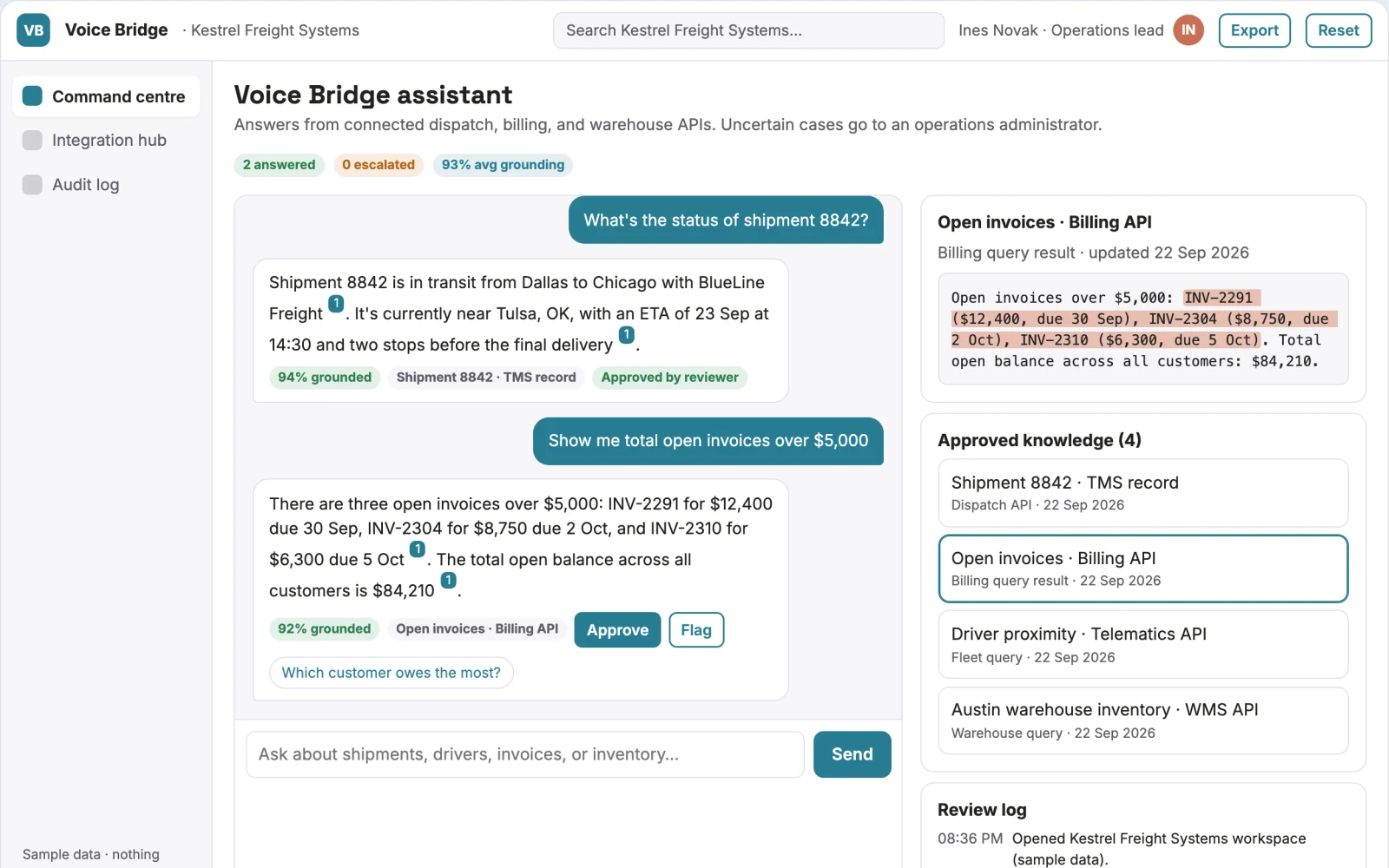
Unified Voice Command Interface
Staff spend excessive time switching between disparate software systems to answer simple questions or perform routine tasks.
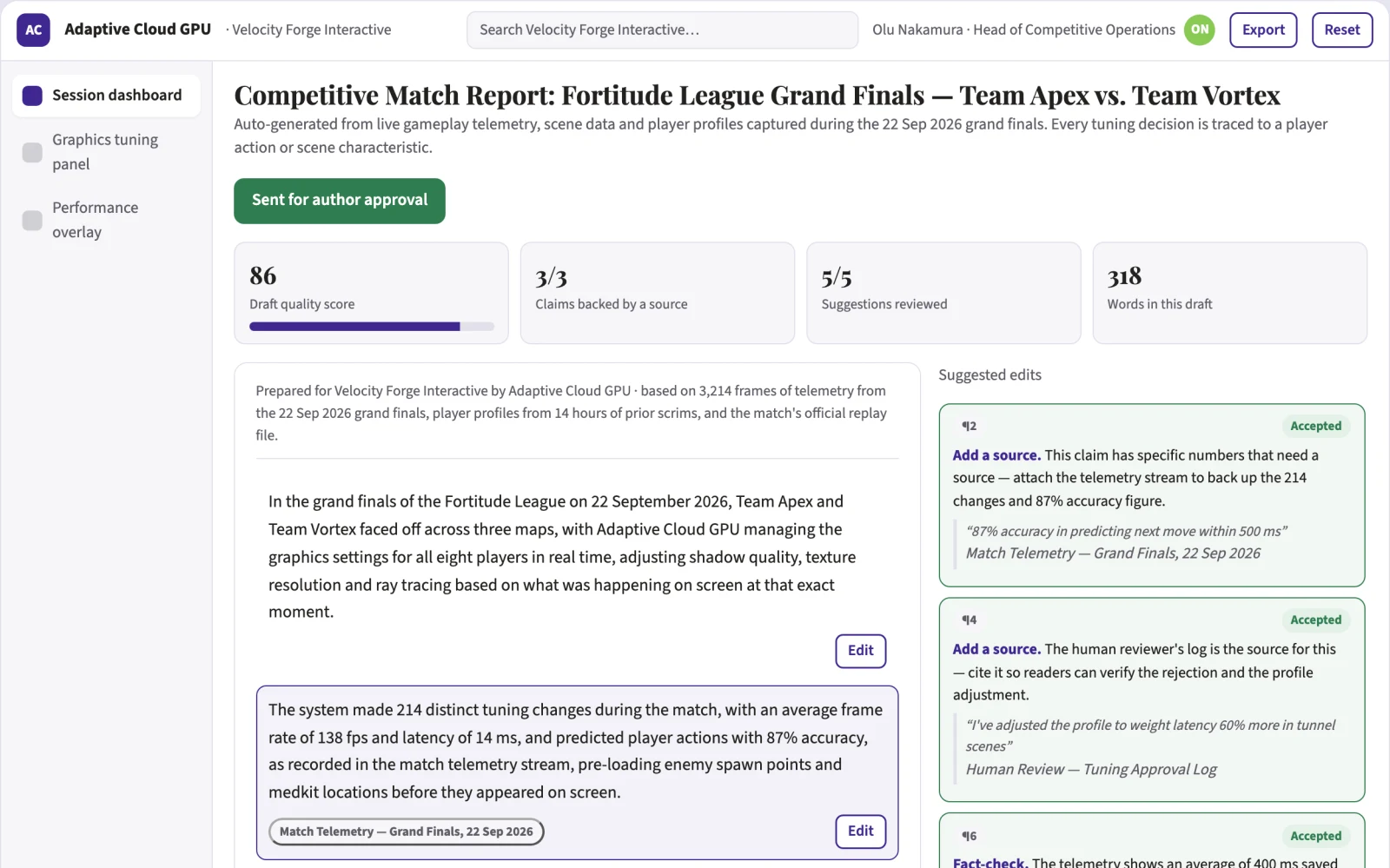
Adaptive Cloud Gaming PC
Gamers buy expensive video cards that age quickly and sit idle most of the day.
Other fields
Creatives
Product photography studio · Advertising variation service · Brand identity studio
117 solutionsCustomer Support
Specialist support assistant · Multilingual help desk service · Support quality auditor
103 solutionsEducation
Occupation-specific language tutor · Adaptive exam practice platform · Teacher lesson preparation service
69 solutionsExecutives and Strategy
Competitor intelligence subscription · Board briefing service · Market entry research studio
88 solutionsFinance
Accounts receivable assistant · Invoice exception detector · Cash-flow scenario workspace
64 solutionsGovernment
Tender matching subscription · Bid preparation service · Public consultation analyzer
89 solutionsHealthcare
Clinic information assistant · Appointment preparation service · Referral completeness checker
82 solutionsHospitality and Events
Hotel guest messaging assistant · Villa inquiry conversion service · Event proposal studio
97 solutionsHuman Resources
Employee policy assistant · Onboarding journey builder · Job description studio
65 solutionsInsurance
Broker renewal preparation · Claims intake assistant · Policy comparison workspace
82 solutionsLegal
Contract obligation tracker · Legal client intake assistant · Document chronology service
81 solutionsManagement
Meeting action coordinator · Weekly management briefing · Delegation assistant
270 solutionsMarketing
Niche content studio · Customer research synthesis · Landing page optimization service
109 solutionsOperations
Process documentation studio · Supplier quote comparison · Purchase request assistant
71 solutionsPR and Communications
Media monitoring briefs · Press release drafting studio · Journalist relevance research
93 solutionsProduct Development
Customer feedback intelligence · Product interview synthesis · Feature request organizer
73 solutionsReal Estate and Construction
Property listing studio · Real estate inquiry assistant · Virtual staging service
120 solutionsSales
Proposal production service · Inbound lead assistant · Account research subscription
91 solutionsScience and Research
Specialist literature monitoring · Evidence mapping service · Research document search
107 solutionsWriters
Expert ghostwriting studio · Book development service · Technical writing subscription
Bring one process you are sick of. In thirty minutes we will tell you whether it can run itself. Book a call.